
THE STORY BEHIND THE VIDEO
How do I put my grandma in a flower-bridge video?
Use one clear adult portrait of your grandmother and choose the main marigold-walk scene. The tool imagines a warm animated walk from that photograph; it does not recover real movement. Before making it, check the photo quality, consider your family’s comfort with animation and decide which facial details you want to preserve.
By Mingzhu Wang ·
Choose the expression before the background
A familiar expression matters more than a dramatic location. Choose a photograph in which the eyes, nose, mouth and hairline are clear. A slight smile can be easier to recognise than a blurred laughing face or a face turned almost completely away.
Keep the shoulders and some space around the head. A group photo can work only after you crop to one adult without cutting into the face. Avoid a crop so tight that the model has to invent the entire head outline.
Our complete example uses a fictional older adult in a clear outdoor portrait. It is not a photograph of a deceased customer or a claim that every family portrait will transform in the same way.
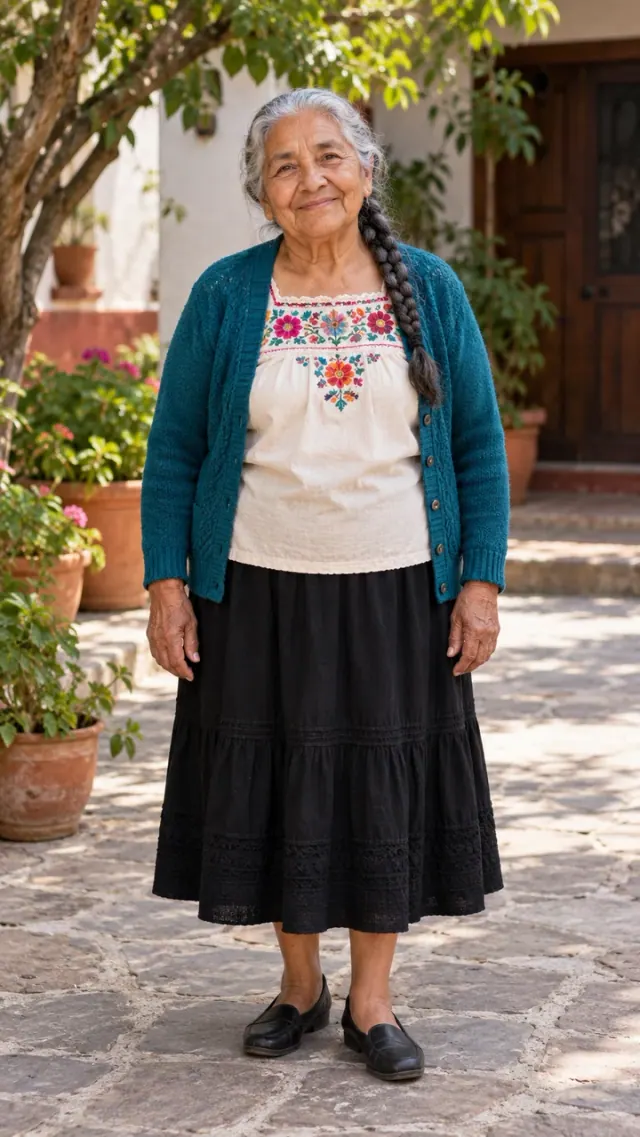
Complete owned demonstration with a fictional subject; no customer photograph. Open the original MP4 ↗
If the only photograph is an old print
Lay the print flat in even light. Hold the camera parallel to the photograph so the face is not stretched by perspective. Move the light or camera slightly if the surface reflects a bright patch across the eyes.
Crop out the physical frame and surrounding table. Make small exposure and contrast adjustments, then stop when the features are readable. Heavy restoration can create a new mouth, soften characteristic wrinkles or replace the expression you wanted to keep.
Save a JPG, PNG or WebP file under 5 MB. Keep the untouched scan or camera copy as well. The original is useful for comparing the generated face and remains the real family photograph.
A walk, a frame ending or a two-person hug
The main walk delivers a vertical 720p MP4 of about twelve seconds. Enable the original-photo golden ending to combine a ten-second generated walk with two seconds of your source photograph in the displayed frame. The animated portion can change details; the fixed ending keeps the supplied photo. A custom butterfly sequence or new frame design is not included.
If the main idea is meeting your grandmother, the Heaven Hug scene takes two separate adult photographs. Give each adult a clear face. It creates an imagined ten-second embrace, rather than adding a second person to the one-photo walking scene.
If you only want a framed photograph, use an editor to place the real portrait inside a frame graphic you own. That gives you exact control of the face and inscription without generating a new person.
Check identity while the person moves
Watch the full video at normal speed first. Then look at the eyes, mouth, hairstyle and hands during movement. Ask whether the face still feels like the photograph when the person turns, bends or approaches the ending.
If something feels unfamiliar, you do not have to share the clip. Keep the original photograph as the central tribute, or choose a still-photo edit instead. A generated smile or gesture should not be described as an authentic recovered memory.
For a severe visual defect, request review within seven days under the refund policy. Confirmed technical failures restore credits. A finished video can still contain artistic variation, so review and technical failure are different situations.
- Compare the eyes, mouth and hair with the original portrait.
- Watch turns and gestures for identity changes.
- Check hands and contact if you choose the two-photo hug.
- Leave the ending visible long enough to recognise the framed face.
- Keep the clip private if the portrayal does not feel right.
Questions before you decide
Can I use a photo of my grandfather instead?
Yes. The main scene accepts one clear adult portrait. The preparation advice applies to any adult family member whose photograph you have permission to use.
Can I use one picture of two people for the hug?
The current hug flow asks for two separate adult photographs. Crop and save one clear image of each adult before uploading, without distorting either face.
Will it preserve her exact smile and voice?
No. The model can change facial details and movement. The tool does not clone a person’s voice; optional ambience is generated separately.
This guide is published by the tool’s operator. It was prepared with AI writing assistance and checked against this site’s configured features and owned samples.